Everything, at a glance.
The Hub is the first page you land on inside any world. It pulls together your map, featured entries, manuscript progress, recent activity, and collaborators into one view so you never have to hunt for where you left off.
Hero banner
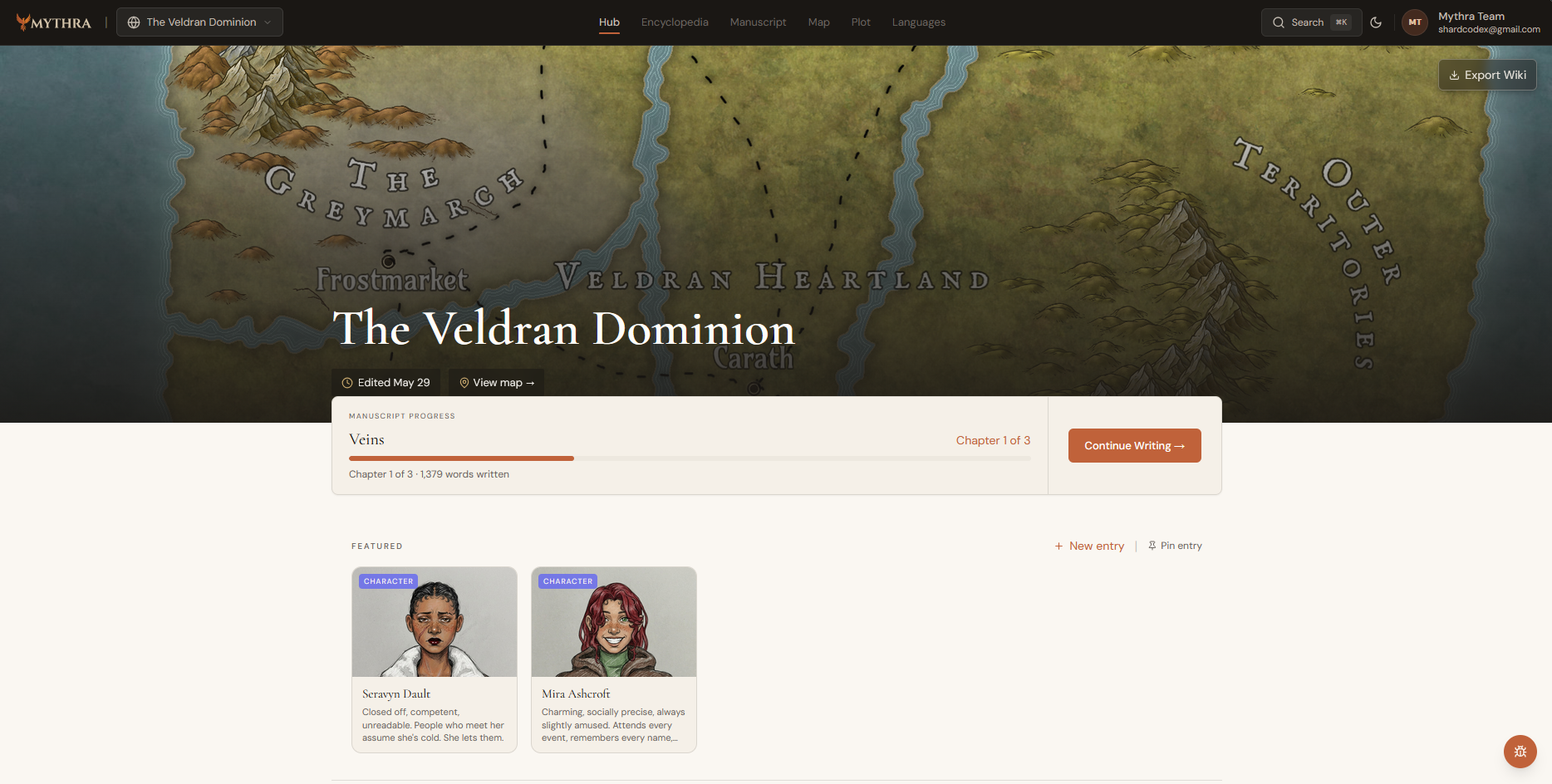
The top of the Hub is a full-bleed banner that uses your world map image as a background. It displays the world name, a "last edited" timestamp, and a shortcut link to the full World Map. If you haven't uploaded a map yet, the banner prompts you to add one. The Export button in the top-right corner lets you download all wiki entries as JSON or PDF from anywhere in the Hub.
Collaborator stack
Up to three collaborator avatars appear in the top-right corner of the banner. If the world has more members, an overflow badge shows the remaining count. Hovering any avatar shows that person's display name.
Manuscript progress strip
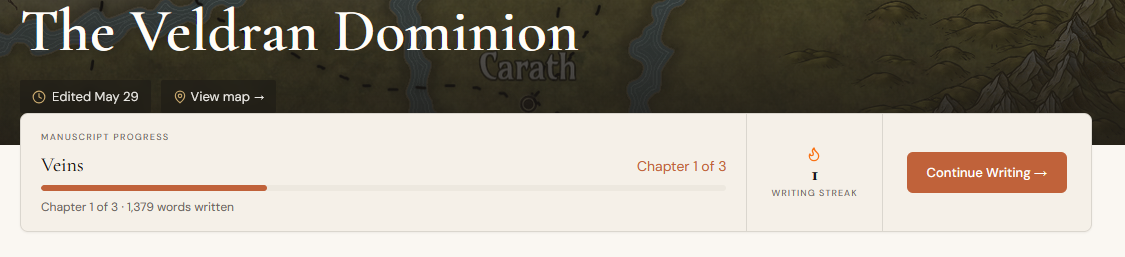
If your world has an active manuscript with progress data, a progress strip overlaps the bottom of the hero banner. It shows your current writing streak and word count at a glance, letting you pick up exactly where you stopped without opening the editor.
Featured entries
Below the banner is a horizontally scrolling row of pinned wiki entries — your core cast, key locations, or anything else worth keeping front and centre. Each card shows:
- •Cover image (with focal-point cropping), entry-type badge, title, and a short summary.
- •Tag pills — click any tag to jump to a filtered encyclopedia view.
- •A pin/unpin button and a drag handle so you can reorder cards without leaving the Hub.
- •"New Entry" button to create and immediately pin a fresh entry.
- •A search shortcut to find an existing entry and pin it.
Activity feed
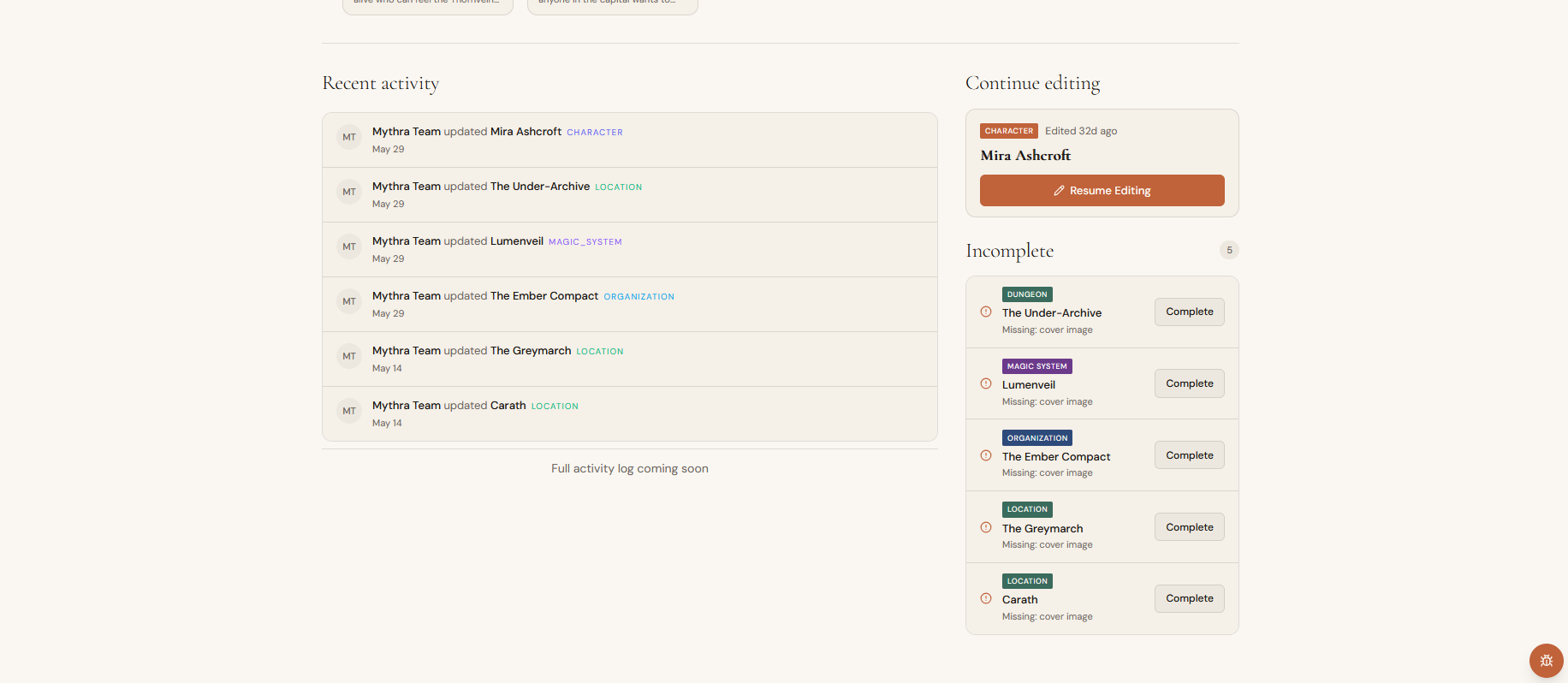
The left column of the lower Hub lists the six most recent changes across the world — who edited what entry or chapter, and when. Each item links directly to the modified object. A full activity log is planned for a future release.
Resume editing & incomplete entries
The right column surfaces two productivity shortcuts. "Resume Editing" links to the last entry you touched, with a thumbnail preview. Below it, "Incomplete Entries" lists any entries whose required fields are still empty, so you can spot and fill gaps without manually browsing the encyclopedia.